
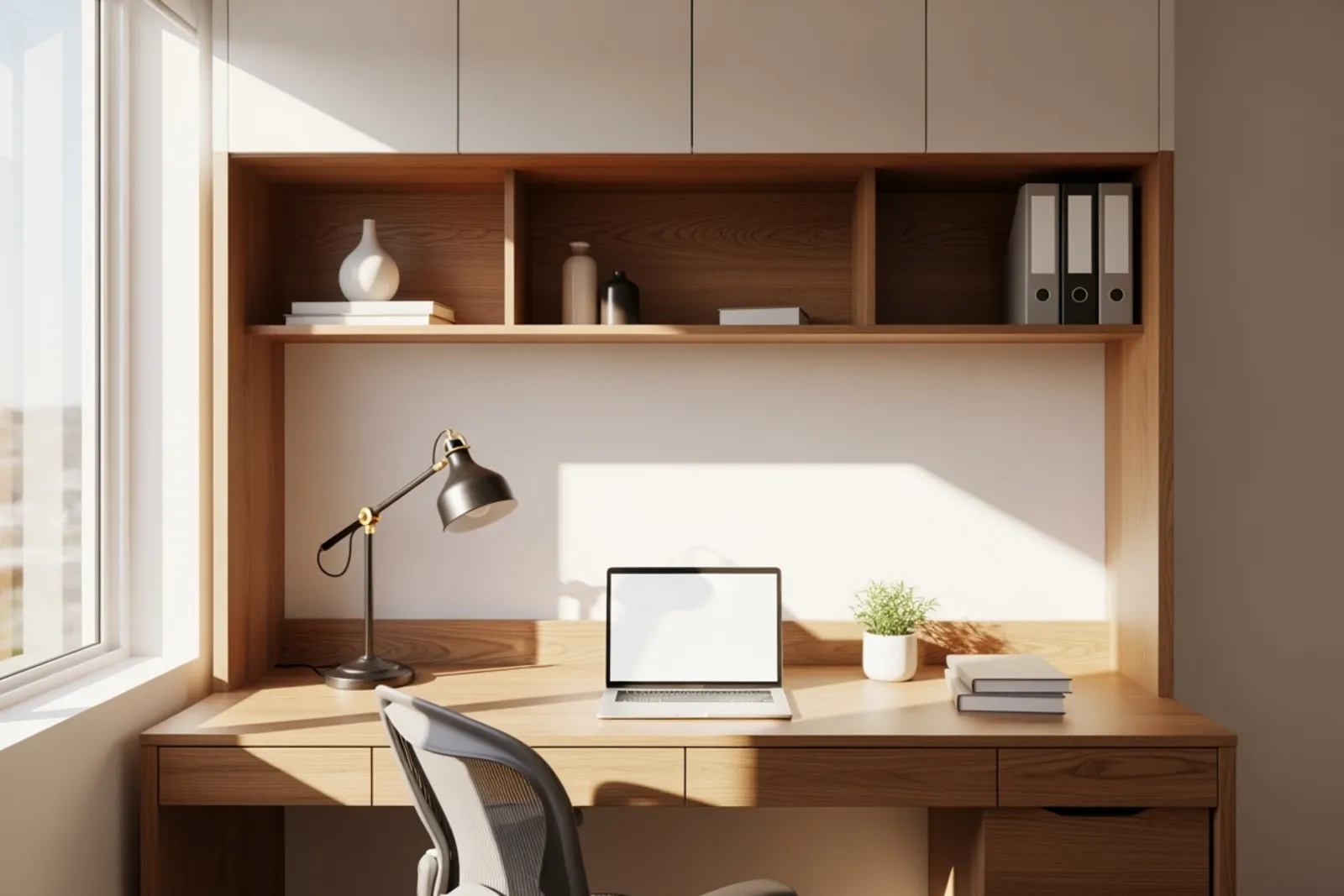
Remote work changed what people need from a home office. A spare table and a laptop worked for a while, but many setups now feel like a compromise that never got fixed. Wires spill everywhere. Paper piles up. Printers land on the floor. The desk is either too small, too deep, or in the wrong place entirely.
That is why built-in office cabinetry keeps coming up in both renovations and new construction. A well-planned unit combines three things people usually buy separately, a desk, storage, and cable management. When those parts are designed together, the room works better and usually looks calmer too.
I think that last part matters more than people admit. A cluttered office does not just look messy. It nags at you. You see the cords, the stacked devices, the crowded surface, and your brain never fully clocks out.
For anyone planning custom home office cabinets, the goal is not to copy a showroom wall. It is to build around the way work actually happens. That means choosing the right desk dimensions, storage that matches your tools, and electrical planning that keeps technology usable instead of visible.
Why built-ins make more sense than mixing random pieces
Freestanding furniture has its place. It is quick, flexible, and easy to replace. But for a serious remote work setup, it often leaves gaps. There is unused wall space above the desk, awkward dead corners, and no real plan for power, internet gear, or hidden storage.
Built-ins fix those problems because the whole wall can be used as one system. The desktop can run exactly the length the room allows. Upper cabinets can stop short of a window or carry right to the ceiling. Drawers can be sized for paper, peripherals, and files rather than whatever a standard retail desk happens to offer.
This is where good cabinet design earns its keep. It is not about adding more millwork for the sake of it. It is about reducing friction. If you reach for the scanner every day, it should have a place that is easy to access. If you hate visual clutter, closed storage should do most of the work. If you join video calls all day, the background behind you deserves as much thought as the desktop in front of you.
For new builds, this kind of planning lets the office feel intentional from day one. For renovations, it can turn an underused nook, spare bedroom, or awkward wall into a workspace that finally pulls its weight.
Start with the desk, because everything else depends on it
People often begin with shelving ideas or Pinterest images. I would start with the desk. If the work surface is wrong, no amount of cabinetry around it will save the room.
Desk depth matters more than most people expect. A shallow surface can feel cramped if you use a large monitor, external keyboard, notebook, and task lighting. Too deep, though, and you waste reach space. In many cases, a depth around 24 to 30 inches works well, depending on how much equipment stays on the desk every day.
Width depends on the job. Someone working mainly on a laptop may be comfortable with less. A person using dual monitors, paper files, and reference books needs more breathing room. If the office will support two users, plan that from the start. Squeezing in a second chair later usually ends badly.
Height also deserves attention. A built-in desk is not automatically ergonomic just because it is custom. Standard desk height often lands around 29 to 30 inches, but that is not ideal for everyone. If the user is shorter, taller, or has a particular chair and monitor setup, the desk height should respond to that. Fixed surfaces can be excellent, but only when they are fixed at the right number.
Then there is knee space. Drawers are useful, but they should not crowd legroom. If the desktop spans between cabinets, make sure there is enough clear width and depth underneath for comfortable seating and movement. It sounds basic. It is also one of the first things people notice when it is wrong.
The desk surface itself deserves some thought too. In office millwork, the counter top is not just a finish choice. It affects glare, wear, cleanability, and feel. A glossy top may reflect light from windows or screens. A textured laminate can hide fingerprints but may feel rough for constant writing. A solid surface or stone counter top can look sharp, though it may be more material than the space really needs. The best choice often comes down to how the desk is used, not what looks fanciest in a sample box.
Storage should match the job, not a generic office template
A lot of home offices fail because the storage plan is vague. People ask for shelves, drawers, and cabinets because those sound useful. Sometimes they are. Sometimes they just become prettier clutter.
The better question is simple: what exactly needs to live here?
A tax preparer, architect, therapist, consultant, and remote manager all use an office differently. One person may need deep file drawers and lockable storage for records. Another needs display shelving for books and awards. Someone else wants almost everything hidden, with only a laptop dock and notebook on the desk.
Closed storage usually works harder than open storage in a home office. Open shelves look good when styled well, but they also collect visual noise fast. If the goal is concentration, fewer exposed items often help. Upper cabinets with doors can hide supplies, reference materials, and equipment that you need nearby but do not want to stare at all day.
Drawers are where custom office cabinetry really proves its value. Shallow drawers can organize chargers, pens, adapters, and notebooks. Deeper drawers can hold headphones, paper stock, and bulky equipment. File drawers can be sized for letter or legal documents depending on actual need, not guesswork.
I also think printer storage deserves more attention than it gets. People either leave the printer on the desk, which steals useful space, or tuck it into a cabinet with no ventilation or access, which creates a different problem. A better answer is a dedicated printer niche or pull-out shelf with room for paper storage nearby. Same goes for shredders, label printers, docking stations, and backup drives.
If the office has to do double duty, say guest room by night and work zone by day, the storage strategy matters even more. Built-ins can keep work contained so the room does not feel like a mini corporate branch after hours.
Cable management should be designed, not improvised
This is the part that often gets ignored until the end. Then the power bar hits the floor, cords drape off the desk, and someone starts drilling holes after installation. I have seen offices that looked excellent on day one and messy by day three because nobody planned the wire path.
Cable management works best when it is part of the cabinet design from the beginning. That includes power access, data lines, charging needs, ventilation, and the location of every device that needs to plug in.
A few details make a huge difference. Grommet holes in the right place keep monitor, keyboard, and charging cables from crossing the work surface. A modesty panel can hide cable trays underneath the desk. Vertical chases inside cabinetry let wires travel cleanly from lower outlets to upper shelves. Removable back panels give access for changes later, which matters because technology never stays still for long.
Charging stations are another smart addition. A drawer with power inside can hold phones, tablets, and smaller devices out of sight while they charge. That sounds minor until you realize how often those items end up scattered across the desk.
Ventilation matters too. Network gear, modems, routers, and printers generate heat. If they are enclosed, the cabinet should allow airflow. Closed doors with no venting may look tidy, but electronics do not love them.
For new construction, the cleanest setups come from coordinating early with the electrician and the cabinet maker. Outlet placement, data drops, and lighting should respond to the built-in plan, not fight it later. In renovations, you often work around existing walls and power locations, but even then, careful planning can hide a lot of complexity.
Built-ins for renovations versus new construction
The same office can look very different depending on when it is planned.
In a renovation, the design usually begins with constraints. Maybe the room has one odd alcove, a low window, or existing flooring that cannot be patched easily. Maybe there is a baseboard heater, a sloped ceiling, or outlets in inconvenient spots. None of that kills the project, but it does shape it. Renovation work asks for more problem solving and a more exact site measure.
In new construction, the opportunity is bigger. Wall lengths, power locations, lighting, and even door swings can support the office instead of limit it. If the built-ins are planned early, the room can be framed and wired with the final cabinetry in mind. That tends to produce a cleaner result and fewer awkward compromises.
This matters for businesses too, especially when owners are planning a home office as part of a new house build or major remodel. They may need the room to look polished for client calls while still functioning as a daily workspace. That balance is easier to hit when the office is not treated as leftover square footage.
Material choices that age well in a working room
Offices take a different kind of abuse than kitchens, but they still get used hard. Coffee cups sweat. Chairs bump panels. Printers vibrate. Hands rest on the same edge of the desk every day.
That is why material selection should be practical first. Thermally fused laminate and high-pressure laminate are common for office cabinetry because they wear well and clean easily. Painted finishes can look tailored, but they may show chips more readily on high-contact edges. Wood veneer can be beautiful in the right setting, though it often asks for a bit more care.
The desk counter top deserves the most scrutiny because it is the part you touch constantly. If you write by hand often, a smooth, low-glare surface feels better over time. If your office gets strong daylight, test finish samples in similar light before deciding. Some surfaces look fine under showroom lamps and surprisingly reflective at home.
Color matters more than trend. Very dark desktops can show dust and fingerprints. Very light ones can feel washed out under bright task lighting. Mid-tone finishes often hide everyday mess better, though the right answer depends on the room and the user.
Common mistakes that make a custom office feel less custom
The frustrating thing about office built-ins is that a project can be expensive and still miss the point. Usually it happens because the design follows an image instead of a routine.
A few mistakes show up again and again. The first is making the desk too shallow for real equipment. The second is adding too much open shelving and not enough hidden storage. The third is forgetting how many devices need power now. Most people need more charging and cable routing than they think.
Another common miss is ignoring the background visible on camera. If remote meetings are part of the workweek, the wall behind the chair matters. It does not need to be dramatic. It just should look intentional.
Lighting gets overlooked too. Built-ins cannot fix bad room lighting on their own, but they should work with it. Avoid placing upper cabinets so low that they create shadows across the desktop. Under-cabinet lighting can help, especially in deeper work zones.
And then there is future growth. A home office built only for today's setup can feel dated fast. Leave some flexibility for larger monitors, new devices, or shifting storage needs.
What to bring to a cabinet maker before design starts
A good cabinet maker can guide the process, but the project moves faster when you arrive with a clear brief. You do not need full drawings. You do need specifics.
Bring these:
The room dimensions, including windows, doors, ceiling height, and outlet locations.
A list of the equipment you use every day, including monitor count, printer size, router, speakers, and any specialty tools.
A storage inventory, files, books, office supplies, sample materials, paper stock, and anything you want hidden.
Notes on how you work, focused computer tasks, handwritten work, video calls, shared use, or occasional client meetings.
Finish preferences and maintenance concerns, especially for the desk counter top.
A rough budget range, because cabinet design is always partly about priorities.
That information gives the designer something real to solve. It turns the conversation from “I want a nice office” into “I need a workspace that supports this exact routine.”
A well-designed office reduces small frustrations all day long
That is really the value of built-ins. Not prestige. Not trend. Just fewer annoyances.
The desk is large enough and at the right height. Supplies are easy to reach but mostly out of sight. Wires disappear instead of spreading. The room feels settled. You sit down and work, which is the whole point.
For people planning custom home office cabinets, whether in a renovation or a new build, the smartest move is to treat the office like a functional room rather than an afterthought. Get the desk dimensions right. Plan storage around the actual job. Design cable management before installation. And choose materials that make sense for daily use.
When those choices come together, the office stops feeling improvised. It starts feeling reliable. That is a better standard than “looks good,” and honestly, it lasts longer too.